Deleting your account from Father's Playbook
Below are instructions on how to delete your account from Father's Playbook. Deleting your account will remove all information identifying you from the app and our databases. Once deleted, we will not be able to identify you as a former user or associate you with any data stored in our databases. If you ever wish to use Father's Playbook again in the future, you will need to create a new account and you will start fresh as if you had never used the app before.
In app account deletion (recommended):
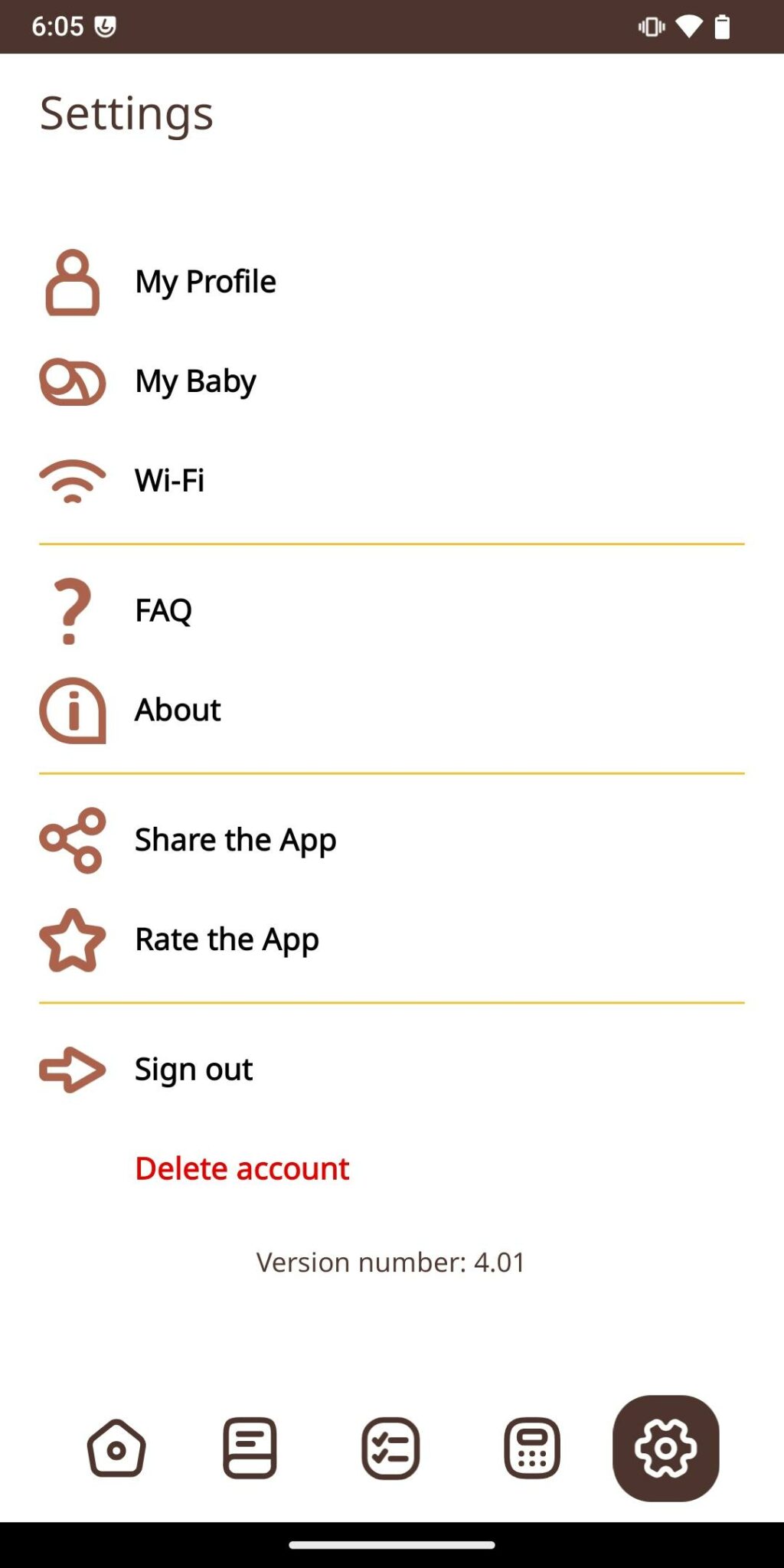
- When logged in to Father's Playbook, you will select Settings (the Gear icon at the bottom right of the screen) and look for the red Delete account option at the bottom of the screen.
- By clicking on and confirming account deletion, your identifying information and login credentials will be immediately deleted from all of our systems and you will be logged out of the app.
Out of app account deletion:
- If you have already uninstalled the app, you will need to email us at [email protected] from the email address you used to create your account for Father's Playbook. This is so that we know that it is you requesting to delete your account and not anybody else.
- Once we have received your email, we will proceed to delete your account within one week (5 business days).